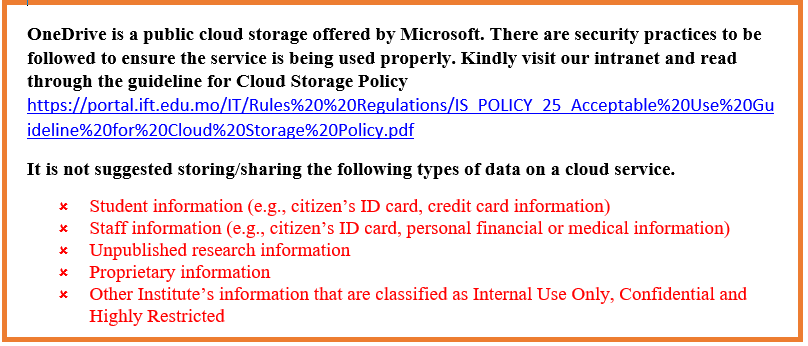
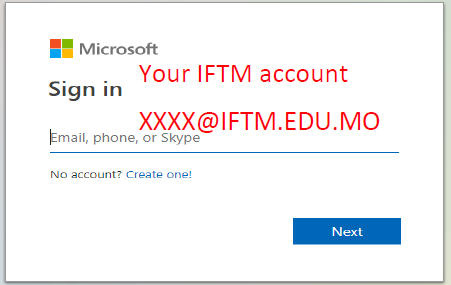
What is One drive?
One drive is part of Micorsoft 365, which helps you share and store your work. It allows you to synchronize updates and share files that have been uploaded and collaborate on office documents with others anytime and anywhere.
![]()
Features of One drive
- 1TB cloud storage
- 10 GB maximum files size.
- Multiple software. You can create Word (.docx), Excel (.xlsx), and PowerPoint (.pptx) in OneDrive, and edit them online on your computer.
- Automatic saving. Documents are saved on Microsoft's server. Files are saved automatically when they are edited.
- Categorization. Documents can be tagged and categorized for organization and management.
- Multi-Person Collaboration. Multi-author collaboration. Support for simultaneous online processing of files by multiple people.
- File sharing. Allows users to decide whether to share files with the public or limit access to those on their contact list; files that are public to everyone can be accessed without a Microsoft Account.
Guiding about One drive and install Microsoft 365
![]()
![]()
![]()
Support
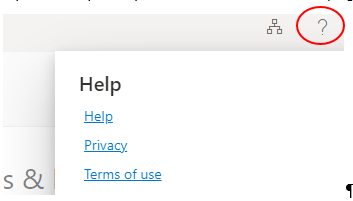
- You can seek Microsoft Support by clicking the "?" at the top right.
![]()
- The support page for One drive
Feel free to contact IT service desk for help if you have further inquiry.
組織及資訊處服務台 | IT Service Desk
組織及資訊處 | Organisation and Information Technology Division
phone: 8598 3120
email: it-servicedesk@iftm.edu.mo
One Drive